
The complete guide
Website Personalization
What it is, why it works, and where to start.
Learn
Use Cases
How teams use ConversionWax
Guides
Step-by-step setup and strategy
Content Personalization Guide
How to personalize your website
Playbook
Proven plays for every industry
Compare
How we stack up against others
Blog
Personalization tips and platform updates
Help Center
Docs, setup guides, and support
Featured playbook
Ecommerce Personalization Playbook
Geo-targeted offers, BFCM windows, device-specific layouts - copy-paste plays that run themselves.
Optimized Images
Auto-resize for any device
Video Support
Personalized video content
Scheduled Updates
Time-based content automation
By role
Ecommerce Operators
Geo-offers, BFCM, device layouts
Growth Marketers
Campaign pages, UTM matching, A/B
Digital Agencies
Multi-site, version control, team access
New in the platform
AI Image Generation
Generate campaign visuals from a prompt. Saves to your asset library.
Learn more →Real-time personalization hub
Real-Time Website Personalization
One embed across every platform. Geo, UTM, viewport, and schedule rules render in milliseconds.
Platforms
WordPress
Plugin · WordPress.org
Shopify
Real-time personalization
Adobe Commerce
Plugin · Magento personalization
Contentful
Headless CMS personalization
Joomla
Real-time personalization
Sanity
Headless CMS personalization
Native plugins
On WordPress.org
ConversionWax for WordPress
Official plugin: shortcode-based banners, A/B testing, and AI image generation. Defer-loaded, Core Web Vitals friendly.
Get the plugin →Help docs
ConversionWax for Adobe Commerce
Plugin for Adobe Commerce and Magento Open Source. Setup guide and configuration steps.
Read the docs →Asset imports
Just released
Canva → ConversionWax
Import banner designs and hero images from Canva directly into your ConversionWax asset library. Skip the export-upload cycle.
See how it works →Anywhere else
One embed code
If your site can accept a script, ConversionWax works on it. WooCommerce, Webflow, BigCommerce, Squarespace, custom builds.
See setup →The importance of conversion analysis in marketing

Conversion analysis is a core part of creating a well-rounded marketing strategy. Understanding where, why, and how users convert is what drives growth, fine-tunes campaigns, and helps hit business objectives.
What is conversion analysis in marketing?
Conversion analysis involves tracking and examining user actions that fulfill a specific goal on your website, such as purchasing a product, subscribing to a newsletter, or signing up for a demo. In a broader context, it helps to answer critical questions about the customer journey:
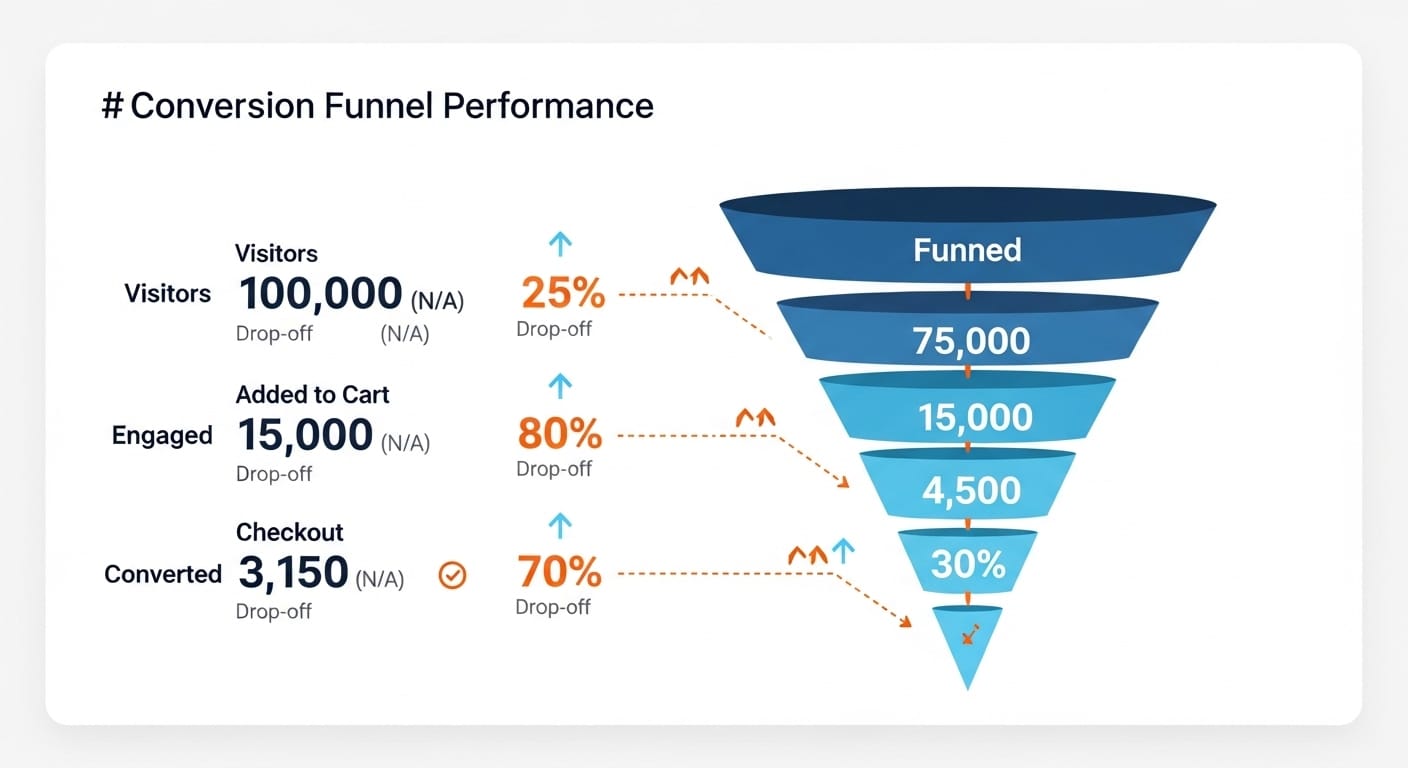
- Which touchpoints drive conversions?
- What factors encourage or discourage user action?
- How effective are various marketing channels?
By collecting and interpreting this data, businesses can identify successful strategies and find opportunities to remove conversion roadblocks.
Conversion analysis covers both macro conversions (purchases, sign-ups, demo requests) and micro conversions (email list subscriptions, video plays, add-to-cart clicks). Tracking micro conversions matters because they signal buying intent before a visitor commits. A visitor who watches your product demo video and adds an item to cart but doesn't purchase is far more qualified than one who bounced from the homepage. Analyzing these intermediate steps shows where the funnel tightens and which nudges move people forward.
Why conversion analysis matters in marketing strategy
Conversion analysis offers marketers and website managers insights that support more targeted, effective campaigns. Here are a few key reasons to integrate conversion analysis into your overall marketing strategy:
- Improves ROI: Understanding which channels yield the highest conversions helps prioritize budget allocations, allowing you to invest in the tactics that drive the best results.
- Increases user engagement: By identifying what users value, you can create more personalized experiences that enhance user engagement, turning potential leads into loyal customers.
- Informs customer retention: Conversion analysis can reveal patterns in customer behavior, such as specific actions or content that retain users. This knowledge helps refine customer retention strategies.
- Supports strategic decision-making: Conversion insights guide data-driven decisions, enabling marketers to make informed adjustments and focus on approaches that deliver measurable results.
Key steps in conversion analysis
Define conversion goals
The first step in a successful conversion analysis in marketing strategy is defining what conversions mean for your business. For example, an ecommerce website may prioritize sales, while a SaaS company might focus on free trial sign-ups.
Common goals include:
- Completing a purchase
- Filling out a contact form
- Subscribing to a service
- Downloading content (such as a guide or e-book)
Set measurable conversion goals aligned with your company's overall objectives. Having clear, specific goals makes it easier to track performance and determine which actions move the needle for your business.
Map the customer journey
A holistic view of the customer journey - from initial awareness to post-purchase engagement - reveals touchpoints and obstacles that impact conversions. Use journey mapping to see how users move through your site or app and identify any areas where they drop off.
For example, if users frequently abandon their shopping carts at the checkout page, a closer look at this touchpoint might reveal opportunities to improve. Conversion analysis allows you to pinpoint these areas for optimization.
Consider a B2B software company whose funnel runs: blog post > pricing page > demo request form > scheduled demo > closed deal. If the drop-off between pricing page and demo form is 92%, that's the bottleneck worth investigating first. Maybe the form asks for a phone number and company revenue upfront, creating friction. Mapping the journey quantifies each stage so you know exactly where to intervene instead of guessing.
Track and measure key metrics
Conversion analysis relies on robust data collection. Using tools like Google Analytics, HubSpot, or Mixpanel, track these key metrics for a clearer picture of your conversion rates:
- Conversion rate: Percentage of users who complete a specific action. A SaaS landing page converting at 3% sounds low in isolation, but if those leads close at 40%, the page is pulling its weight. Always evaluate conversion rate alongside deal value and close rate to get the full picture.
- Bounce rate: Percentage of users who leave the site after viewing only one page. A high bounce rate on a blog post might be acceptable (readers got the answer and left), but a 70% bounce rate on a pricing page signals a disconnect between expectations and what's on the page.
- Time on page: Average time spent on a page, indicating content engagement. If your average time on a 2,000-word guide is 45 seconds, visitors are scanning rather than reading, and the content may need better formatting, subheadings, or a stronger opening hook.
- Click-Through Rate (CTR): Percentage of users who clicked on a specific link or CTA. Compare CTR across placements - a CTA button above the fold might pull 4.2% while the same CTA buried below a long FAQ section gets 0.8%. That difference tells you where to put your strongest offer.
Segment data by traffic source, viewport size, and user demographics to identify patterns. For example, you might find that conversions are higher on desktop than mobile, highlighting a potential issue with mobile UX.
Identify and address conversion blockers
Conversion blockers can take many forms, from slow load times to confusing navigation. Use conversion analysis to spot these issues and take action. Here are some common blockers to look out for:
- Page speed: Slow-loading pages can lead to high bounce rates, especially on mobile. Use tools like Google PageSpeed Insights to assess and optimize page speed.
- User Experience (UX): If users struggle to navigate, they're less likely to convert. Use heatmaps or session recordings (available in tools like Hotjar) to understand how visitors interact with your site and where they encounter friction.
- Complicated forms: Long, multi-field forms often deter conversions. Simplify forms to include only essential information and use auto-fill options to make the process faster.
A/B test for continuous improvement
One of the most effective ways to improve conversions is through A/B testing. Test different elements of your landing pages, email campaigns, and checkout process to determine which variations drive better results. Here are some areas to consider testing:
- Headlines: A compelling headline can grab attention and increase engagement.
- Calls-to-Action (CTAs): Test variations in CTA text, color, and placement to maximize clicks.
- Visual content: Images and videos play a crucial role in user engagement. Experiment with different types and placements of visual elements to see what resonates. Tools like ConversionWax let you A/B test image variants across your site without writing code, so you can measure exactly which visuals drive conversions.
Conversion analysis helps you evaluate these tests and implement the changes that yield the best results.
Utilize segmentation and personalization
Personalizing the user experience is key to enhancing conversions. By segmenting your audience based on behavior, interests, or demographics, you can tailor your messaging to each group's preferences.
For instance, if conversion analysis reveals that a specific segment frequently abandons their shopping cart, personalized retargeting ads can help bring them back to complete their purchase. Personalized messaging has been shown to increase conversions by catering directly to user needs and preferences.
Set up a feedback loop
Conversion analysis should be an ongoing effort, not a one-time process. Establish a feedback loop that allows you to revisit your strategy regularly and make improvements based on the latest insights. Track conversions over time, review the performance of past optimizations, and adjust your approach as necessary to stay ahead of changes in user behavior and market trends.
Building your conversion analysis practice
Having the right framework helps you move from ad hoc number-checking to a repeatable process that catches problems early and surfaces opportunities consistently.
Set up tracking infrastructure
Start with GA4 event tracking. Define custom events for every meaningful user action: form submissions, button clicks, video plays, scroll depth milestones, and checkout steps. Use Google Tag Manager to deploy these without touching your site's source code each time. For ecommerce, configure the standard GA4 events (view_item, add_to_cart, begin_checkout, purchase) so your funnel reports populate automatically.
Layer in Hotjar or Microsoft Clarity for qualitative data. Quantitative tools tell you what happened; session recordings and heatmaps show you why.
Define a measurement cadence
Set a fixed review schedule so conversion data doesn't sit unread in a dashboard. A practical cadence looks like this:
- Daily: Check for anomalies - sudden traffic spikes, conversion rate drops, or broken tracking events. A five-minute dashboard scan catches issues before they compound.
- Weekly: Review channel-level performance. Compare paid search, organic, email, and social side by side. Look at conversion rate, cost per conversion, and revenue per session for each channel.
- Monthly: Deep-dive analysis. Segment by viewport (mobile vs. desktop), geography, and new vs. returning visitors. Evaluate running A/B tests for statistical significance. Document findings in a shared report so the full team has visibility.
- Quarterly: Reassess your conversion goals. Business priorities shift, and your tracking should reflect current objectives. Archive goals that no longer apply and define new ones based on product launches or seasonal patterns.
Build actionable dashboards
Avoid building a dashboard with 30 widgets that nobody reads. Create two or three focused views: a funnel health dashboard (stage-by-stage conversion rates with week-over-week comparison), a channel performance dashboard (traffic, conversion rate, and revenue by source), and an experiment dashboard (active A/B tests with current results). Keep each to a single screen so stakeholders can absorb the data quickly.
Common conversion analysis mistakes
Even experienced marketers fall into patterns that undermine their conversion analysis. Avoiding these four mistakes will save you from acting on misleading data.
- Tracking the wrong events: Measuring pageviews when you should be measuring button clicks, form submissions, or scroll depth leads to vanity metrics that don't connect to revenue. Audit your event tracking quarterly to confirm every tracked event maps to a real business outcome.
- Not segmenting by channel: An overall 2.5% conversion rate masks the fact that email traffic converts at 5.8% and social at 0.9%. Without channel-level segmentation, you can't allocate budget to the sources that actually perform or diagnose the ones that don't.
- Ignoring mobile separately: Blending mobile and desktop data hides UX problems. If your mobile conversion rate is 60% lower than desktop, that's a design issue, not a traffic quality issue. Always split by viewport in your analysis and treat mobile as its own optimization project.
- Acting on too-small sample sizes: Calling an A/B test after 200 visitors and a 0.3% difference is a recipe for false positives. Use a sample size calculator before launching any test, define your minimum detectable effect upfront, and wait until you reach statistical significance (typically 95% confidence) before drawing conclusions.
Using visual personalization data in conversion analysis
Most conversion analysis focuses on page-level or funnel-level metrics. But one area that's often overlooked is the performance of visual assets - the hero images, product photos, and banners that visitors actually see and interact with.
Visual content has a direct impact on whether someone clicks, scrolls, or bounces. If you're running the same banner for every visitor regardless of location, viewport size, or campaign source, you're missing conversion data that could change your strategy.
Platforms like ConversionWax make this measurable. Every banner tracks three core metrics: clicks, page loads, and renders. That gives you a clear picture of not just impressions, but actual engagement with each visual variant.
Here's where it gets specific. With built-in A/B testing, you can run two versions of a banner side by side and compare performance across desktop, tablet, and mobile viewports. Instead of guessing which hero image works better on phones vs. laptops, you get real numbers broken down by viewport type.
Geo-targeted banners add another layer. If you're showing different visuals to visitors in different regions (a winter jacket for Minnesota, sandals for Florida), ConversionWax tracks performance per location rule. That data feeds directly into your conversion analysis - you can see which regional visual strategy actually moves the needle.
The analytics granularity scales with your needs. On the Starter plan, you get daily reporting. Growth plans unlock hourly data. Professional and Premier plans go down to 5-minute intervals, which is useful during flash sales or campaign launches when you need to react fast.
The practical takeaway: add visual personalization data to your conversion analysis stack. When you know which image variant converts better in which context, you stop treating visual content as decoration and start treating it as a measurable conversion lever. See how ConversionWax works to get this data into your workflow.
Putting conversion analysis into action
To illustrate the power of conversion analysis, here's an example:
An ecommerce company notices a sharp drop-off on its product pages after implementing a new pricing structure. Through conversion analysis, they realize that customers view the new pricing as too high. The company tests alternative pricing strategies, ultimately choosing a subscription option that not only boosts conversions but increases lifetime customer value.
By analyzing where conversions declined and testing new strategies, the company effectively used conversion analysis to turn potential lost revenue into a growth opportunity.
Summary
Effective conversion analysis in marketing strategy helps businesses understand the "why" behind user behavior. By defining clear goals, mapping the customer journey, tracking key metrics, and optimizing based on data insights, marketing and website managers can create a user-friendly experience that maximizes conversions and supports long-term growth.
Conversion analysis gives you the foundation for a strategic, customer-centric approach that continuously adapts to changing user expectations and drives real results. Pair it with visual personalization data to close the gap between what visitors see and what actually converts.
Increase your conversions with ConversionWax.
Frequently Asked Questions
What is conversion analysis in marketing?
Conversion analysis involves tracking and examining user actions that fulfill a specific goal on your website, such as purchasing a product, subscribing to a newsletter, or signing up for a demo. In a broader context, it helps to answer critical questions about the customer journey: Which touchpoints drive conversions?
Why conversion analysis matters in marketing strategy?
Conversion analysis offers marketers and website managers insights that support more targeted, effective campaigns. Here are a few key reasons why it's essential to integrate conversion analysis into your overall marketing strategy: Improves ROI: Understanding which channels yield the highest conversions helps prioritize budget allocations, allowing you to invest in the tactics that drive the best results.
What should you know about putting conversion analysis into action?
To illustrate the power of conversion analysis, here's an example: An ecommerce company notices a sharp drop-off on its product pages after implementing a new pricing structure. Through conversion analysis, they realize that customers view the new pricing as too high.